
UBTSHIELD Bus Logbook1.6.0 - Google Play
You'll be able to see results in few seconds.
Publisher Description
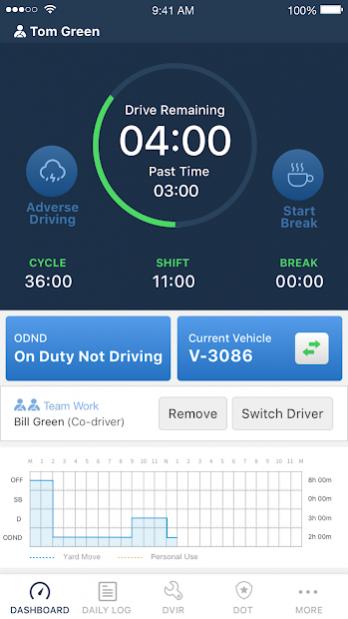
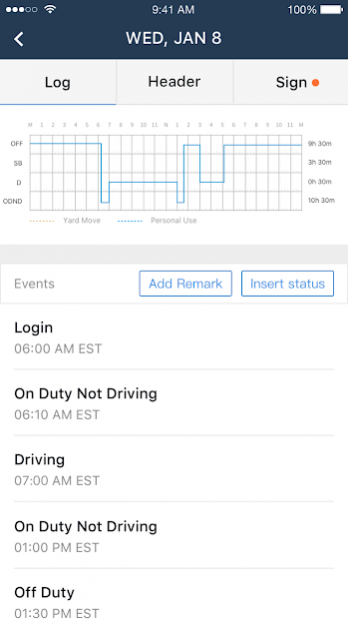
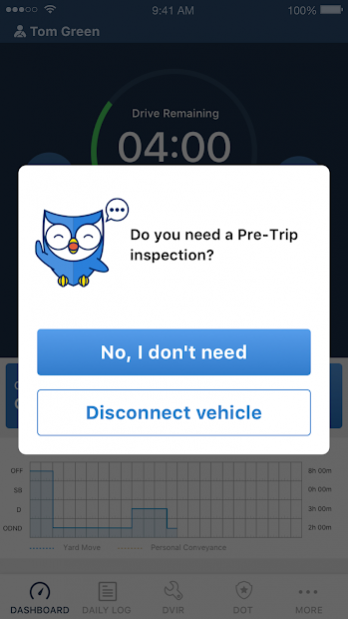
SHIELD is the newest solution in electronic logging apps for truck and bus drivers! Simple, Handy, Intelligent, this app pairs with your Electronic Logging Device, making tracking your HOS e-logs simpler than ever!
User-Friendly and Easily Editable
The SHIELD app is beginner-friendly, requiring no prior ELD experience to operate. All edits are made with just a few clicks!
SHIELDing You From Violations and Fines
SHIELD provides automatic violation alerts when your hours of service get close to the limit! Avoid paying hefty fines with SHIELD!
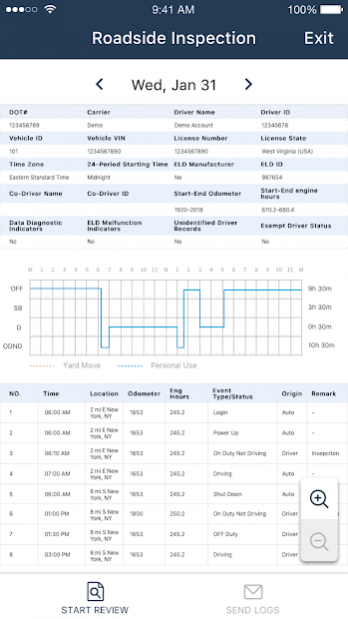
Roadside Inspection Mode
SHIELD generates an easy-to-read driver-vehicle inspection report for inspection officers. All DVIRs can be sent to the officer via email or Web service.
Recap Availability
Want to know how much time you have driven this week? View your driver’s hours worked for the week and hours available today or tomorrow easily!
Other features:
• Interact easily with the fleet manager and view administrative edits to your logbook.
• Print or email your logs to FMCSA officers easily!
• Avoid costly DOT fines with alerts!
• E-sign your driver log and share it with your fleet manager.
SHIELD is a United Bus Technology product. UBT is the leading IT solution company in the motor coach industry, focused on creating turnkey solutions to make drivers’ and owner-operators’ lives easier. The SHIELD is the latest flagship product from UBT and is sure to make electronic logging for bus and truck drivers the simplest it’s ever been.
About UBTSHIELD Bus Logbook
The company that develops UBTSHIELD Bus Logbook is United Bus Technology Inc.. The latest version released by its developer is 1.6.0.
To install UBTSHIELD Bus Logbook on your Android device, just click the green Continue To App button above to start the installation process. The app is listed on our website since 2020-02-28 and was downloaded 0 times. We have already checked if the download link is safe, however for your own protection we recommend that you scan the downloaded app with your antivirus. Your antivirus may detect the UBTSHIELD Bus Logbook as malware as malware if the download link to com.unitedbustech.eld is broken.
How to install UBTSHIELD Bus Logbook on your Android device:
- Click on the Continue To App button on our website. This will redirect you to Google Play.
- Once the UBTSHIELD Bus Logbook is shown in the Google Play listing of your Android device, you can start its download and installation. Tap on the Install button located below the search bar and to the right of the app icon.
- A pop-up window with the permissions required by UBTSHIELD Bus Logbook will be shown. Click on Accept to continue the process.
- UBTSHIELD Bus Logbook will be downloaded onto your device, displaying a progress. Once the download completes, the installation will start and you'll get a notification after the installation is finished.
Program Details
System requirements
Download information
Pricing
Version History
version 1.6.0
posted on 2020-02-28
Engine event optimization
version 1.5.4
posted on 2020-01-16
1. Increase ECM log reporting
2. Add undefined log engine event
3. Driver's abnormal driving behavior notification switch
4. Optimization of main and auxiliary driving logs
version 1.5.3
posted on 2019-10-09
UBT regularly updates the SHIELD app in order to eliminate bugs and provide you with the most streamlined experience possible.
Disclaimer
Official Google Play Link
We do not host UBTSHIELD Bus Logbook on our servers. We did not scan it for viruses, adware, spyware or other type of malware. This app is hosted by Google and passed their terms and conditions to be listed there. We recommend caution when installing it.
The Google Play link for UBTSHIELD Bus Logbook is provided to you by apps112.com without any warranties, representations or guarantees of any kind, so access it at your own risk.
If you have questions regarding this particular app contact the publisher directly. For questions about the functionalities of apps112.com contact us.
